Anker PowerExpand 13-in-1 USB-C Dock vs CalDigit TS4 Thunderbolt 4 Dock
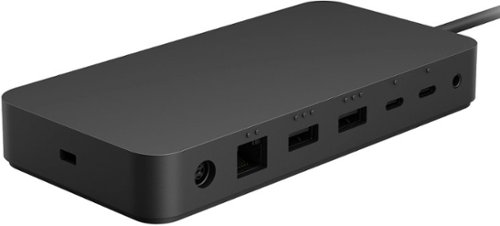
Verdict: The CalDigit TS4 wins for demanding users needing Thunderbolt bandwidth and multi-display support, backed by higher port counts and 40Gbps speeds per Tom's Hardware benchmarks. The Anker PowerExpand 13-in-1 delivers solid everyday expansion at lower cost but trails on performance for data-heavy tasks. Choose based on whether your laptop has Thunderbolt and if you need quad-display capability.
Winner: CalDigit TS4 Thunderbolt 4 Dock
Anker PowerExpand 13-in-1 USB-C Dock: 7/10
CalDigit TS4 Thunderbolt 4 Dock: 9/10
Spec-by-spec comparison
| Anker PowerExpand 13-in-1 USB-C Dock | CalDigit TS4 Thunderbolt 4 Dock | |
|---|---|---|
| Connection Type | USB-C 3.2 Gen 2 | Thunderbolt 4 |
| Max Displays | Dual 4K@60Hz | Quad 4K or Dual 6K |
| Total Ports | 13 | 18 |
| Power Delivery | 100W | 98W |
Anker PowerExpand 13-in-1 USB-C Dock
What works
- 13 ports including HDMI, Ethernet, SD/microSD, and multiple USB-A/USB-C
- Compact design suitable for travel or desk use
- Affordable price point for broad port expansion
What doesn't
- Limited to USB-C bandwidth with potential bottlenecks on heavy data transfers
- Single upstream connection may not support full Thunderbolt device chaining
CalDigit TS4 Thunderbolt 4 Dock
What works
- Thunderbolt 4 delivers 40Gbps bandwidth for high-speed data and multiple high-res displays
- Extensive port selection including 10GbE Ethernet, SD 4.0, and multiple Thunderbolt downstream ports
- Daisy-chaining support for additional Thunderbolt devices
What doesn't
- Higher cost compared to standard USB-C docks
- Larger footprint may not suit minimal desk setups
Bottom line
Our pick: CalDigit TS4 Thunderbolt 4 Dock. It edges out the alternative on thunderbolt 4 delivers 40gbps bandwidth for high-speed data and multiple high-res displays. That said, Anker PowerExpand 13-in-1 USB-C Dock still wins on 13 ports including hdmi, ethernet, sd/microsd, and multiple usb-a/usb-c — consider it if that single trade matters most for your use.
View full comparison on GoodPickr
Related Comparisons
- Sennheiser Momentum True Wireless 3 vs Anker Soundcore Life P3
- Anker SOLIX F2000 Portable Power Station vs EcoFlow Delta 2 Max
- Anker 737 GaN Prime 120W Charger vs Ugreen Nexode Pro 100W GaN Charger
- Anker Soundcore Life P3 vs Apple AirPods Pro 3
- Bose QuietComfort Earbuds II vs Anker Soundcore Life P3
- Sony WH-CH720N vs Anker Soundcore Space One
- Apple AirPods Pro 2 vs Anker Soundcore Life P3
- Anker 737 GaN Prime 120W vs UGREEN Nexode Pro 100W GaN
- CalDigit TS4 Thunderbolt 4 Dock vs Anker 575 USB-C Dock (13-in-1)
- CalDigit TS4 Thunderbolt 4 Dock vs OWC Thunderbolt 4 Dock
- Yeti 1500X vs Anker SOLIX F2000
- Aprilaire 5000 Whole Home Air Purifier vs Blueair Blue Pure 211i Max Room Purifier
People also compared
GoodPickr · Data-backed product comparisons